The 35-Watt Roommate (Part 1): From Memory Hunger to Mini Powerhouse
- 1.The 35-Watt Roommate (Part 1): From Memory Hunger to Mini Powerhouse
- 2.The 35-Watt Roommate (Part 2): The Cloud in a Cabinet
- 3.The 35-Watt Roommate (Part 3): Middle-earth and the Digital Infarction
- 4.The 35-Watt Roommate (Part 4): Docker Cleanup and Surgical Data Recovery
- 5.The 35-Watt Roommate (Part 5): Monitoring, or 'Why is the internet constantly asking for my .php files?'
- 6.The 35-Watt Roommate (Part 6): Ads? Never Heard of Them.
- 7.The 35-Watt Roommate (Part 7): Goodbye Fritz!Box, Hello Ubiquiti
- 8.The 35-Watt Roommate (Part 8): Umami Analytics, or How a Password with Special Characters Broke Everything
It all started innocently enough. A little Jellyfin for the movie collection here, a small Gitea instance for my code there. My Synology DS223 handled the job without complaint. But once you get a taste for automating your own software pipeline, you quickly end up wanting a Gitea Runner. And that’s exactly where things went sideways.
When memory runs out
One runner here, one build process there, and suddenly my NAS web interface was telling me we had a massive memory problem. 2 GB of RAM is no luxury resort for containers. It’s more like a studio apartment with a shared kitchen. As soon as the Gitea Runner kicked off a build, the system started gasping for air. The OOM killer came knocking.
I needed a real server. But without solar panels on the roof, the usual second-hand server monsters with their 200-watt power supplies were out of the question. What I wanted: enough CPU and RAM for Docker containers, CI/CD runners, and media streaming; no more than 35 watts under load, so the electricity bill doesn’t become a second hobby; under 400 euros all-in, including upgrades; and small enough to fit next to the NAS in the server cabinet.
Big power, tiny box
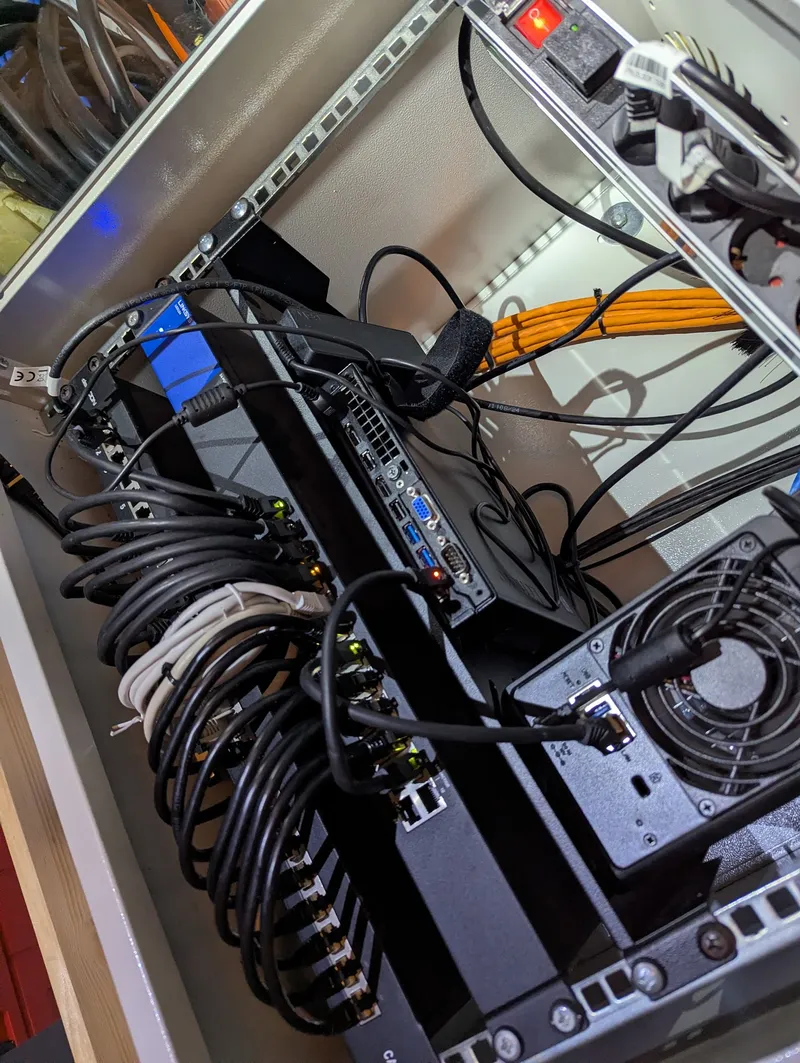
After nights of browsing r/homelab and various forums, I stumbled upon the quiet favorite of the home lab community: the Lenovo ThinkCentre M920q. An off-lease unit for just 160 euros. It’s barely larger than a box of chocolates, but it has everything you could want: a real PCIe slot (for future 10GbE adventures), two RAM slots with room to breathe (up to 64 GB DDR4), an M.2 slot for fast storage, and an Intel Core i5-8500T whose six cores quietly get the job done.
The shopping list
| Component | Cost |
|---|---|
| Lenovo M920q (Refurbished) | 160 € |
| 32 GB RAM Upgrade (2×16 GB DDR4) | 100 € |
| 1 TB NVMe SSD (WD SN770) | 100 € |
| Original 8 GB RAM (sold on eBay) | −28.87 € |
| Original 256 GB M.2 SSD (sold on eBay) | −26.16 € |
| Total (net) | 304.97 € |
I sold the original components on eBay right away, bringing the total cost down to just under 305 euros. For that money you get more performance per watt than many a tower server, and it’s quieter than the cooler box sitting next to it.
The foundation: Proxmox, Docker and Portainer
I went with Proxmox VE as the operating system. My first order of business after installation: an Ubuntu Server VM with Docker and Portainer as the container management UI.
I made a rookie mistake here right away and installed the Portainer Community Edition. Only after some digging did I find out that as a private user you can run the Business Edition free for up to three nodes. The BE adds access control, Git-based stack deployments, and automatic updates, all things you learn to appreciate as your setup grows. More features for zero euros? Yes please.
Tip: On the Portainer website you can grab a free BE license for up to 3 nodes. Just register and enter the license key during installation.
What’s next
The M920q is now humming away in my server cabinet, drawing about 10 watts at idle, barely more than an LED bulb. Under full load it’s around 35 watts. But a server that only works behind closed doors is only half the fun.
Part 2 covers what containers ended up running on the Lenovo and how I expose them to the internet with Cloudflare Tunnels, for me and my friends, without any port forwarding on the router.